

WWW vs non-WWW – Which Is Better for WordPress SEO?
When it comes to optimizing your WordPress site for search engines, one question that often arises is whether to use WWW or non-WWW in your URL structure. This decision can have significant implications for your site’s SEO. In this comprehensive guide, we’ll delve into the pros and cons of using WWW vs non-WWW for WordPress SEO and help you decide which option is better for your site.
What Is WWW vs non-WWW?
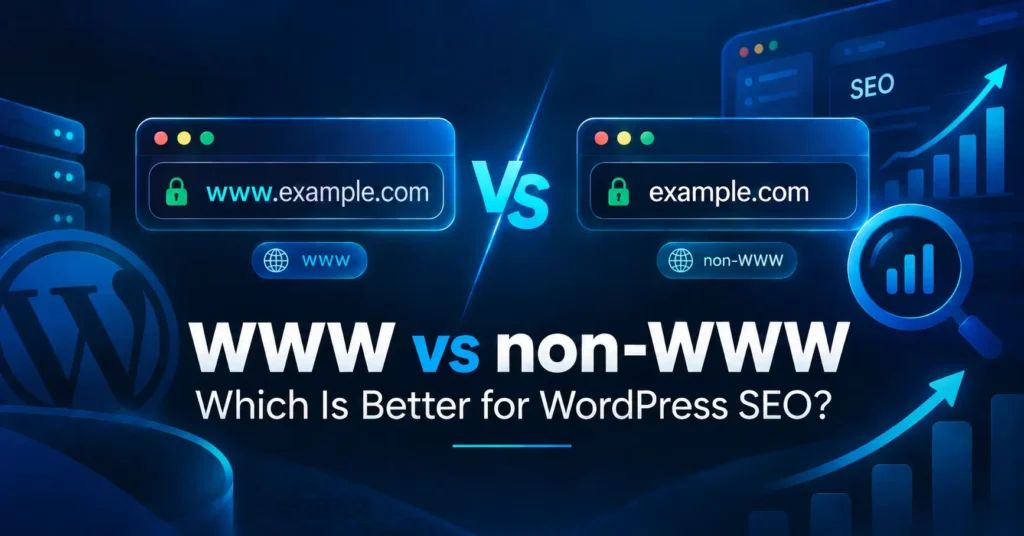
Before diving into the SEO implications, it’s important to understand the difference between WWW and non-WWW URLs. The WWW (World Wide Web) prefix in a URL refers to a subdomain of your domain. For instance, “www.example.com” uses the WWW subdomain, whereas “example.com” is the non-WWW version.
Understanding WWW
The WWW prefix is traditionally used to signify that a URL points to a website rather than an FTP server or email server. Historically, it helped differentiate web services from other services running on the same domain. In modern practice, the WWW vs non-WWW distinction is more about preference and technical considerations than practical necessity.
Understanding non-WWW
The non-WWW version of your URL, often referred to as the “apex domain” or “bare domain,” omits the WWW prefix. For instance, “example.com” without the WWW prefix is a non-WWW URL. This format has become increasingly popular due to its simplicity and ease of use.
SEO Implications of WWW vs non-WWW
When considering WWW vs non-WWW for WordPress SEO, it’s crucial to understand how each option can impact your site’s search engine optimization. Search engines like Google treat WWW and non-WWW URLs as separate entities, which means that failing to properly manage this distinction can result in duplicate content issues and diluted SEO efforts.
Benefits of Using WWW
- Consistent Experience: Using WWW can provide a consistent URL structure for your site, which might enhance user experience and make it easier to remember.
- Cookie Management: One technical benefit of using WWW is that cookies set for the WWW subdomain will not be sent to the non-WWW version of your site. This can help in reducing cookie bloat and improving site performance.
- Historical Use: Historically, WWW has been the standard for websites. Some users might expect to see the WWW prefix, and maintaining this can align with their expectations.
- Technical Configuration: In some cases, certain configurations and CDNs (Content Delivery Networks) are optimized for WWW subdomains, potentially providing performance benefits.
Benefits of Using non-WWW
- Simpler URLs: Non-WWW URLs are shorter and can be easier for users to type and remember. This simplicity can contribute to a cleaner and more user-friendly web presence.
- Modern Preference: The trend has shifted towards non-WWW URLs as they are perceived as more modern and streamlined. This aligns with current best practices and user expectations.
- Consistent Branding: For some businesses, using a non-WWW URL might align better with their branding strategy, presenting a more straightforward and contemporary image.
- Technical Efficiency: Non-WWW URLs can be slightly more efficient in terms of DNS resolution, which can marginally impact site speed and performance.
How to Choose Between WWW and non-WWW for Your WordPress Site
Choosing between WWW vs non-WWW for WordPress SEO involves several considerations. Here’s how you can decide which is better for your site:
Consider Your Existing URL Structure
If your site already uses a WWW or non-WWW URL structure, it’s generally best to stick with what you have to avoid confusing users and search engines. Consistency is key in maintaining SEO effectiveness and avoiding potential issues.
Evaluate Your Technical Setup
Consider your hosting provider, CDN, and other technical aspects of your site. Some services and configurations may be optimized for WWW or non-WWW URLs. Check with your service providers to see if there are any advantages or recommendations based on their infrastructure.
Analyze Your Competitors
Look at what your competitors are doing. If they are using WWW or non-WWW URLs, it might be beneficial to align with industry standards or trends within your niche. This can provide insight into best practices and help you make an informed decision.
Implementing Your Choice
Once you’ve decided on the WWW vs non-WWW approach for your WordPress site, it’s important to implement it correctly to avoid SEO issues. Here’s how to ensure a smooth transition:
Redirects
Set up 301 redirects to ensure that visitors and search engines are directed to your preferred URL version. A 301 redirect tells search engines that the URL has permanently moved, preserving your SEO rankings and preventing duplicate content issues.
Update Internal Links
Make sure all internal links within your WordPress site use the preferred URL version. This helps maintain consistency and ensures that all your site’s pages are correctly linked.
Update External Links
Reach out to any external sites linking to your site and ask them to update their links to your preferred URL version. While this might not always be feasible, updating high-authority or high-traffic links can positively impact your SEO.
Check for Mixed Content
Ensure that your site does not have mixed content issues, where HTTP and HTTPS versions of your site are being served. This can affect your site’s security and SEO performance.
Conclusion
In the debate of WWW vs non-WWW for WordPress SEO, there is no one-size-fits-all answer. The choice between WWW and non-WWW should be based on your site’s specific needs, technical setup, and branding considerations. By understanding the benefits of each option and implementing your choice correctly, you can optimize your WordPress site for better performance and SEO.
Remember, whether you choose WWW or non-WWW, consistency is crucial. Properly manage redirects, update links, and monitor your site to ensure that your SEO efforts are not compromised. By making an informed decision and following best practices, you can enhance your WordPress site’s visibility and user experience in 2024 and beyond.